
Setup and commands may vary depending on the OS you are using and what IDE you want to work in.
I’m on a Windows 10 machine using Visual Studio Code so this tutorial will be using the cli tools and commands. I’m using the AdventureWorks database I restored to a docker container in the previous post.
First let’s start a new console application.dotnet new console
In order to use the tools, we need to add these packages:dotnet add package Microsoft.EntityFrameworkCore.Tools
dotnet add package Microsoft.VisualStudio.Web.CodeGeneration.Design dotnet add package Microsoft.EntityFrameworkCore.SqlServer dotnet add package Microsoft.EntityFrameworkCore.Design
Now we can use the cli tools to create the entities.
This sample command will create only the ProspectiveBuyer entity class inside the directory Entities. It will also create the dbcontext.
dotnet ef dbcontext scaffold "Server=localhost;Database=AdventureWorks;User Id=sa;Password=VeRYSECR3T!" Microsoft.EntityFrameworkCore.SqlServer -o Entities -t ProspectiveBuyer
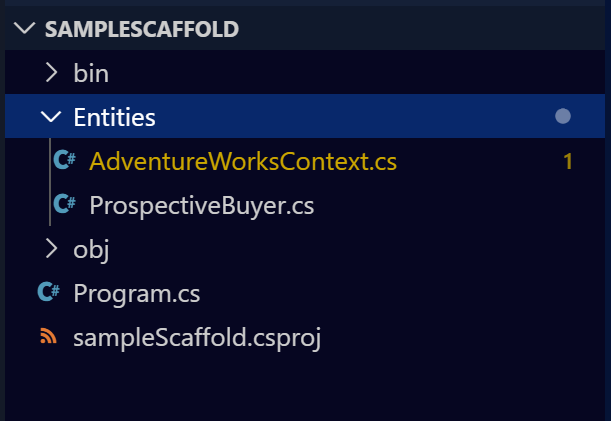
There are a few things to be aware of when the tools are used.
First, it will create the dbcontext for you, but this file will also have the connection information (password) there as well. It does at least tell you that this isn’t the best practice.

Also, by default it will use the fluent API vs data annotations to configure the models. If you want it to use data annotations there is an optional parameter you can pass (-d or –data-annotations) like I’ve done in the sample below.
-f forces overwriting of existing files.dotnet ef dbcontext scaffold "Server=localhost;Database=AdventureWorks;User Id=sa;Password=VeRYSECR3T!" Microsoft.EntityFrameworkCore.SqlServer -o Entities -d -f
Another default behavior is to include all tables, schemas and even views so be sure to pass in the correct parameters unless you truly want to scaffold the entire database.
More information about the cli tools can be found here:
https://docs.microsoft.com/en-us/ef/core/miscellaneous/cli/powershell
https://docs.microsoft.com/en-us/ef/core/miscellaneous/cli/dotnet

 docker - elastic - dotnet - sql