
In this post I’ll show how we can restore a database when starting up a docker container for the first time.
First in the Dockerfile, we will need to make sure we are moving the backup into the container as a part of the build process.
In my Dockerfile, I’ll create a backup folder and place the adventure works backup there.
FROM mcr.microsoft.com/mssql/server:2019-GA-ubuntu-16.04

COPY *.sh /
COPY restoredb.sql /

RUN mkdir /var/opt/mssql/backup
COPY AdventureWorksDW2017.bak  /var/opt/mssql/backup/
CMD /bin/bash ./entrypoint.sh
My entrypoint.sh file will start sql and run the script to restore the database if it does not already exist.
entrypoint.sh
#start SQL Server, start the script to restore the DB
 /init.sh & /opt/mssql/bin/sqlservr
init.sh – I had the sql command in the file, but push it out into its own script.
echo "Checking SQL Server"
STATUS=$(/opt/mssql-tools/bin/sqlcmd -S localhost -U sa -P VeRYSECR3T! -d master -Q "SET NOCOUNT ON; SELECT 1" -W -h-1 )

while [ "$STATUS" != 1 ]
do
sleep 1s

echo "Checking SQL Server"
STATUS=$(/opt/mssql-tools/bin/sqlcmd -S localhost -U sa -P VeRYSECR3T! -d master -Q "SET NOCOUNT ON; SELECT 1" -W -h-1 )
done

echo "SQL UP!"

/opt/mssql-tools/bin/sqlcmd -S localhost -U sa -P VeRYSECR3T! -d master -i restoredb.sql
restoredb.sql – First it checks if the database exists, if it doesn’t it will restore.
IF(DB_ID(N'AdventureWorks') IS NULL)
RESTORE DATABASE AdventureWorks FROM DISK = '/var/opt/mssql/backup/AdventureWorksDW2017.bak'
WITH MOVE 'AdventureWorksDW2017' TO '/var/opt/mssql/data/AdventureWorksDW2017.mdf',
MOVE 'AdventureWorksDW2017_log' TO '/var/opt/mssql/data/AdventureWorksDW2017_log.ldf'
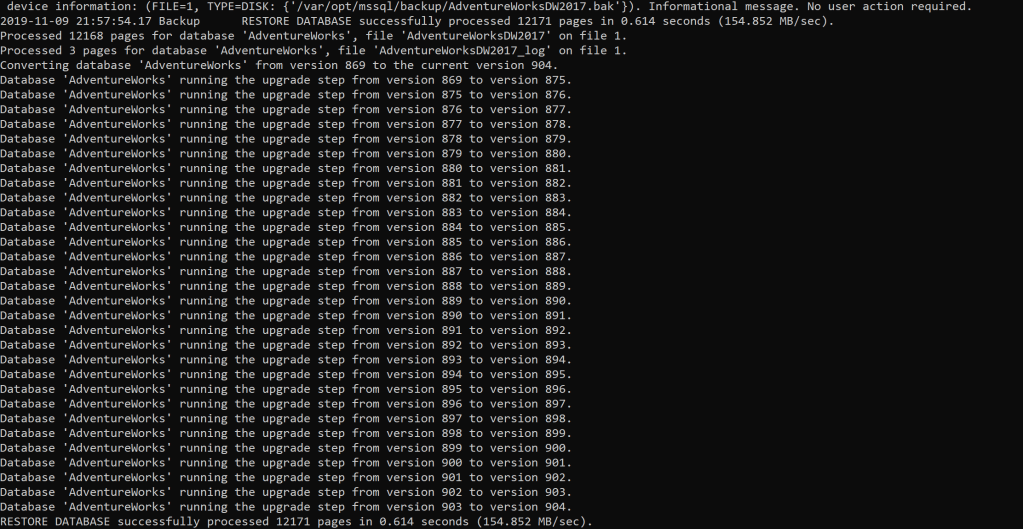
Now we can build and start the container to see the restore script in action.
docker build . -t sql:latest
docker run -it -p 1433:1433 --env ACCEPT_EULA=Y --env MSSQL_SA_PASSWORD=VeRYSECR3T! sql:latest
Files can be found here.

 docker - elastic - dotnet - sql